Setup and API

Nafih C
Product team, FlowFlex
Updated
8 min read

A spare-parts trader we spoke to sells to buyers in Africa and Russia from one WhatsApp number, the one printed on every invoice. He wanted automated replies and proper broadcasts, but not if it meant a new number or losing years of chats. A travel agency in Kuwait asked us the same thing in a different way: can my team keep using the app on their phones?
For most businesses the answer is now yes, thanks to WhatsApp coexistence. This guide explains how coexistence works, what changes in the app, how to set it up, and when it is not the right choice.
Quick answer: can you keep the WhatsApp Business app after moving to the API?
Yes. WhatsApp coexistence lets you connect the number you already use on the WhatsApp Business app to the WhatsApp Business API and keep using both. Up to 6 months of chat history comes across, and every message is mirrored between the app and your API dashboard. You need Business app version 2.24.17 or later. A few app features switch off, including broadcast lists, disappearing messages and view-once media, and the number sends at a fixed 20 messages per second.
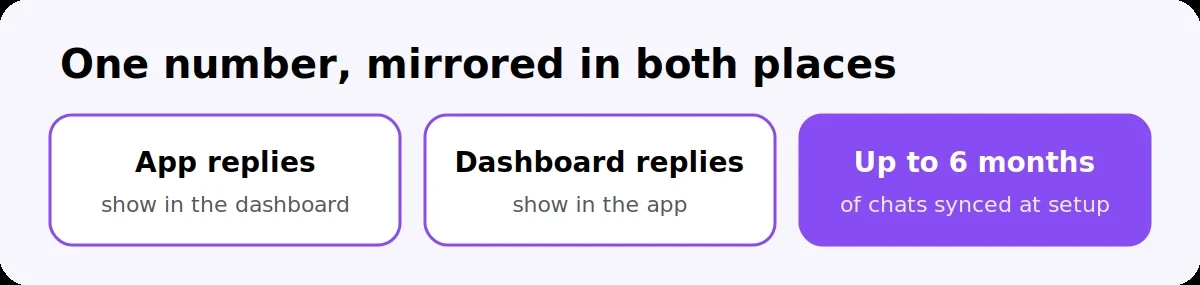
Coexistence is Meta's way of letting one number run on the WhatsApp Business app and the WhatsApp Business API at the same time. Before it existed, moving to the API meant removing the number from the app first, so businesses lost their phone-based workflow and often their chat history.
With coexistence:
One number, two places. Your team keeps replying from the Business app on their phone, while the same chats appear in your provider's dashboard.
Messages stay in sync. A reply sent from the app shows up in the dashboard, and a reply sent from the dashboard shows up in the app.
History comes with you. Meta's documentation says up to 6 months of chats can be synchronised when you connect.
The API adds what the app cannot do: approved template broadcasts to thousands of opted-in contacts, automated flows, a shared inbox for several staff, and integrations with your CRM or Google Sheets.
It only works with the WhatsApp Business app. A number on personal WhatsApp has to move to the Business app first.

Most of the app works as before, but a handful of features switch off or stop syncing. Partners that publish Meta's feature comparison, such as Wappbiz and Digital Toolbox, list the same changes:
Feature | After connecting |
|---|---|
One-to-one chats and labels | Keep working in the app |
Broadcast lists | You cannot create new ones; existing lists become read-only. Send broadcasts from the API instead |
Disappearing messages, view-once photos, live location | Turned off for one-to-one chats |
Group chats | Stay in the app but do not sync to the dashboard |
Greeting message, away message, quick replies | Keep working in the app, but do not sync to the API |
Linked devices (WhatsApp Web, tablets) | Unlinked during setup; re-link the supported ones afterwards. WhatsApp for Windows and Wear OS are not supported |
Green tick (Official Business Account) | Not available on a coexistence number; Meta Verified is the alternative |
One habit matters: open the Business app on the phone at least every two weeks. Partners report that the link can drop if the app sits unopened for about 13 to 14 days.
It takes about 15 minutes per number, with the phone in hand.
Update the app. Install the latest WhatsApp Business app (2.24.17 or later) on the phone that holds the number.
Check the number is supported. Coexistence is widely available, including across the GCC. Partners report Nigeria and South Africa as the main exceptions.
Start from your provider's signup link. Log in with Facebook, choose or create your Meta business portfolio, and select the option to connect an existing WhatsApp Business app number.
Scan the QR code. Open the Business app and scan the code shown on screen to confirm you own the number.
Share your chat history. Accept the prompt to sync past chats so they appear in the dashboard.
Re-link your devices. Reconnect WhatsApp Web or tablets your team uses.
Move broadcasts to the API. Create and submit your first marketing template for approval, because the app's broadcast lists are now read-only.
If several salespeople each have their own Business app number, repeat this for every number. Each one then feeds the same shared inbox, as we explain in our guide on managing multiple WhatsApp numbers in one dashboard.
Messages you send from the Business app stay free. Messages sent through the API are charged by Meta per delivered message, like any API number: marketing templates at your customer's country rate, and service replies after the first 1,000 a month per number. Our GCC pricing guide has the current rates.
Coexistence suits most small and mid-sized businesses. It is the wrong choice in a few cases:
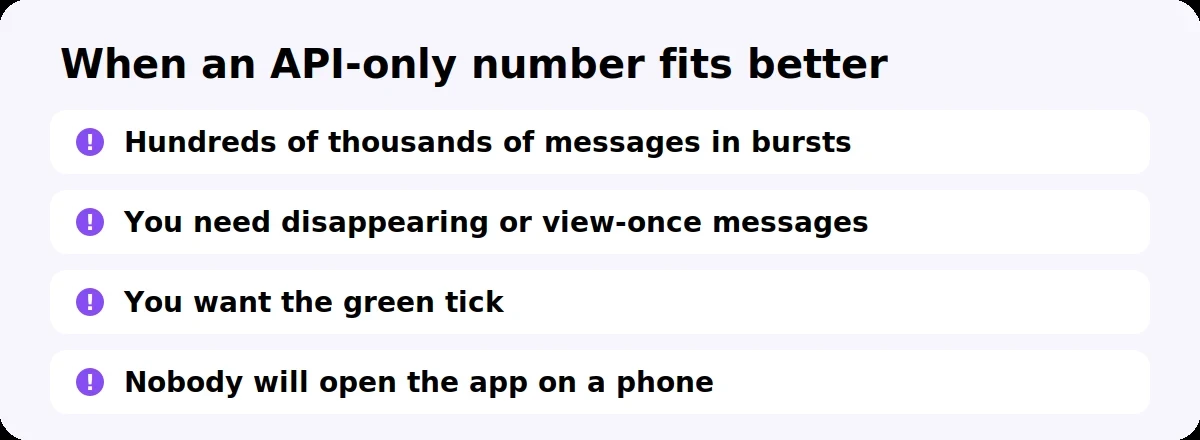
Very high-volume sending. A coexistence number is fixed at 20 messages per second. A brand sending hundreds of thousands of messages in short bursts is better served by an API-only number.
Teams that rely on disappearing messages, view-once media or live location with customers, since those switch off.
Businesses that want the green tick. It is not available on a coexistence number.
A number nobody will open on a phone. If the app is never used, the link can drop. A dedicated API-only number is simpler.
If you are unsure, start with coexistence on your main number. You keep your history and your customers keep the number they know.
The number runs on the WhatsApp Business app, not personal WhatsApp
The app is updated to version 2.24.17 or later
The phone with the number is in hand for the QR code scan
You know which broadcast lists you use, so you can rebuild them as API audiences
Your team knows disappearing messages, view-once and live location will switch off
You have a list of the linked devices to re-link afterwards
Someone will open the app at least once every two weeks
Your first marketing template is drafted, ready for Meta's approval
What is WhatsApp coexistence?
WhatsApp coexistence lets one phone number run on the WhatsApp Business app and the WhatsApp Business API at the same time. Messages are mirrored between the app and your API dashboard, and up to 6 months of chat history can be synchronised when you connect.
Can I use the WhatsApp Business app and the API on the same number?
Yes, through coexistence. You keep replying from the app on your phone while the API adds broadcasts, automation and a shared team inbox on the same number.
Will I lose my chat history if I move to the WhatsApp API?
Not with coexistence. Up to 6 months of past chats can be synced into your dashboard during setup, and the chats stay in the app as well.
What stops working in the WhatsApp Business app after coexistence?
You cannot create new broadcast lists, and existing ones become read-only. Disappearing messages, view-once media and live location turn off for one-to-one chats, and group chats do not sync to the dashboard.
Are messages sent from the WhatsApp Business app charged under coexistence?
No. Messages sent from the app stay free. Only messages sent through the API are charged by Meta per delivered message.
Is WhatsApp coexistence available in the UAE and Saudi Arabia?
Coexistence is widely available, including in the GCC. Partners report Nigeria and South Africa as the main countries not yet supported, so check with your provider if your number is from elsewhere.
How do I migrate my WhatsApp Business app number to the API?
Update the Business app, start from your provider's signup link, connect your existing number, scan the QR code from the app, and accept the chat history sync. You keep using the app afterwards.
FlowFlex is an official Meta Business Partner that supports coexistence at signup, so you can connect the number your customers already know and keep using the WhatsApp Business app. Your team gets a shared inbox, approved broadcasts and automation on top.
Start your 14-day free trial or message us on WhatsApp and we will connect your number with you.
Bans and safety
Why WhatsApp Banned Your Business Number, and How to Send 10,000 Messages Without It Happening Again
Team and numbers
WhatsApp Business Web: Everything You Need to Know in 2026
Setup and API
WhatsApp Business API Pricing in the GCC (2026): UAE, Saudi Arabia, Bahrain, Kuwait, Oman and Qatar Compared